
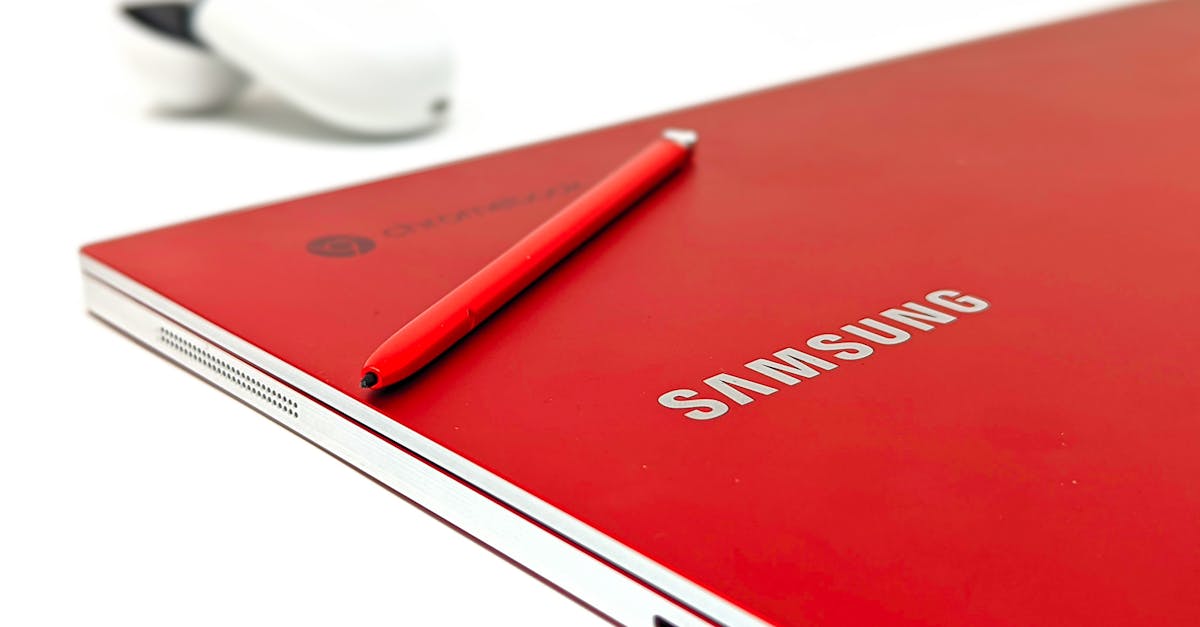
In a world where multitasking is the name of the game, Chromebook tablets are stepping up to the plate with style and flair. These sleek devices combine the portability of a tablet with the functionality of a laptop, making them the perfect companions for both work and play. Imagine effortlessly switching from binge-watching the latest series to tackling that spreadsheet you’ve been avoiding.
Table of Contents
ToggleOverview of Chromebook Tablets
Chromebook tablets combine the portability of a tablet with the functionality of a laptop. Users often appreciate their lightweight designs, making them easy to carry. The touchscreen interface enhances navigation, providing a user-friendly experience for various activities.
Versatile features allow seamless transitions between entertainment and productivity. For instance, streaming shows or managing spreadsheets can occur without difficulty. Many models support stylus input, which enhances creative tasks like note-taking and drawing.
Performance specifications vary among Chromebook tablets. Popular models typically feature Intel or ARM processors, ensuring efficient multitasking. Storage options, including 32GB to 128GB, accommodate different needs, while cloud integration allows users to save files without worrying about running out of space.
Battery life remains a strong point, with most devices lasting around 8 to 12 hours on a single charge. This capability suits users who require extended use throughout the day, such as students attending multiple classes or professionals working remotely.
Software ecosystems play a crucial role in functionality. Chromebook tablets run Chrome OS, which supports web applications and Android apps, offering flexibility. Frequent updates ensure security and user experience improvement.
The cost also appeals to budget-conscious consumers, with prices generally ranging from $250 to $600. Competitive pricing allows users enhanced access to technology without compromising performance. Various brands offer models that cater to different preferences, ensuring a fit for a wide audience.
Key Features to Consider
Evaluating Chromebook tablets involves key features that enhance user experience and functionality. Potential buyers should focus on specific aspects like display quality, battery life, and build quality.
Display Quality
Display quality greatly impacts user enjoyment. Many Chromebook tablets offer Full HD resolution for crisp visuals. Touchscreen capabilities enhance interaction, making navigation intuitive. Size varies from 10 to 15 inches, catering to different preferences. Brightness levels, often reaching 300 nits, ensure visibility even in bright conditions. High color accuracy provides vibrant images, suitable for streaming and creative activities.
Battery Life
Battery life stands out as a crucial factor. Most models provide between 8 and 12 hours of usage, allowing for all-day work or leisure without a charge. Features like efficient processors contribute to this longevity. Quick charging capabilities can restore battery life in minimal time. Users on the go particularly benefit from extended battery performance, making these devices ideal for students and professionals alike.
Build Quality
Build quality significantly affects durability and user satisfaction. Chromebook tablets typically showcase lightweight materials, enhancing portability. Many units feature robust designs, often passing military-grade durability tests for resilience. Sturdy hinges and reliable keyboards enhance the overall experience. A sleek design can add a modern touch, appealing to various users. Some models also include water-resistant features, further protecting against accidental spills.
Popular Chromebook Tablets on the Market
Several Chromebook tablets stand out in the current landscape, showcasing a mix of performance and affordability.
Chromebook Tablet A
The Lenovo Chromebook Duet ranks highly among users. Its detachable design allows for a seamless transition between tablet and laptop modes. Featuring a 10.1-inch Full HD display, it enhances movie watching and gaming experiences. Powered by a MediaTek Helio P60T processor, it offers responsive multitasking capabilities. With 64GB of storage and a battery life of up to 10 hours, this model caters well to students and professionals on the go. Weighing just 1.3 pounds, portability remains a key strength.
Chromebook Tablet B
Samsung Galaxy Chromebook 2 holds appeal for those seeking premium features. This tablet includes a vibrant 12.4-inch QLED display for stunning visuals. It operates on an Intel Celeron processor, ensuring efficient performance for daily tasks. Available with up to 128GB of eMMC storage, users enjoy ample space for files and apps. The battery sustains up to 12 hours of use, fitting the needs of remote workers. Weighting at 2.62 pounds, its solid build conveys durability while maintaining a sleek design.
Chromebook Tablet C
The HP Chromebook x2 impresses with its versatile functionality. Its 12.3-inch touchscreen supports stylus input for creative tasks. Equipped with a Qualcomm Snapdragon 7c processor, it balances power and battery efficiency effectively. Storage options reach up to 128GB, complemented by seamless cloud integration. This model can provide up to 11 hours of battery life, keeping users connected throughout the day. At 1.7 pounds, it strikes a good balance between portability and performance, making it an attractive choice.
Benefits of Using Chromebook Tablets
Chromebook tablets combine portability with functionality. Their lightweight design supports on-the-go lifestyles, making them ideal for students and remote professionals. Flexibility allows seamless transitions between tasks, whether streaming shows or managing spreadsheets.
The touchscreen interface enhances navigation, offering an intuitive user experience. Additionally, many models support stylus input for creative tasks, such as note-taking and drawing. Performance varies with popular models featuring efficient Intel or ARM processors, enabling smooth multitasking capabilities.
Storage options range from 32GB to 128GB, accompanied by cloud integration for easy file access. Battery life stands out, with many devices lasting between 8 to 12 hours, thus catering to the needs of users who require a reliable device throughout the day. Most Chromebook tablets also come with quick charging options, minimizing downtime.
The software ecosystem runs on Chrome OS, providing compatibility with web and Android applications. Frequent updates enhance security and user experience, ensuring the latest features and protections are in place. Budget-conscious consumers find prices appealing, typically ranging from $250 to $600. This diverse pricing ensures a wide range of options for various preferences.
Display quality plays a significant role in enjoyment. Many models offer Full HD resolution, contributing to vibrant visuals and improved viewing experiences. Build quality remains crucial for durability, as many tablets undergo military-grade testing, affirming their resilience. These factors collectively enhance the user experience, establishing Chromebook tablets as a valuable choice for various users.
Limitations of Chromebook Tablets
Chromebook tablets present several limitations that potential users should consider. First, most rely on an internet connection to access many applications and services. Offline functionality exists, but it’s often limited, restricting productivity in areas without reliable connectivity.
Storage capacity proves another drawback, as many models feature between 32GB to 128GB of internal storage. Users may find this insufficient, especially for tasks requiring large files or extensive media libraries. External storage options, while available, can’t fully mitigate this limitation.
App compatibility presents challenges as well. While Chrome OS supports web applications and Android apps, some specialized software, particularly high-performance programs, may not run on these devices. This restriction affects professionals needing specific applications for their work.
Performance may struggle in demanding multitasking scenarios, despite featuring capable processors like Intel and ARM. Users engaged in intensive tasks may experience slowdowns, challenging productivity.
Battery life, while rated between 8 to 12 hours, can vary depending on usage. Video streaming or intensive applications often drain batteries faster than light browsing or document editing. This variance can catch users off guard during important tasks.
Finally, support for peripherals like printers and certain accessories can present issues. Compatibility often depends on manufacturer support, leading to frustration for some users when attempting to access additional features.
Chromebook tablets present an attractive option for those seeking a blend of portability and functionality. Their lightweight design and versatile features cater to both leisure and work needs, making them suitable for students and professionals alike. With impressive battery life and quick charging capabilities, users can stay productive throughout the day.
However, it’s essential to weigh the limitations, such as reliance on internet connectivity and potential app compatibility issues. Despite these drawbacks, the affordability and user-friendly experience of Chromebook tablets position them as a compelling choice in the tablet market. Whether for casual browsing or serious work tasks, these devices offer something for everyone.